---
title: "Discounted total price isn't showing in UpCart cart drawer. What to do?"
source_url: "https://bundler.app/frequently-asked-question-item/discounted-total-price-isn't-showing-in-upcart-cart-drawer.-what-to-do-9u"
---
Discounted total price isn't showing in UpCart cart drawer. What to do?
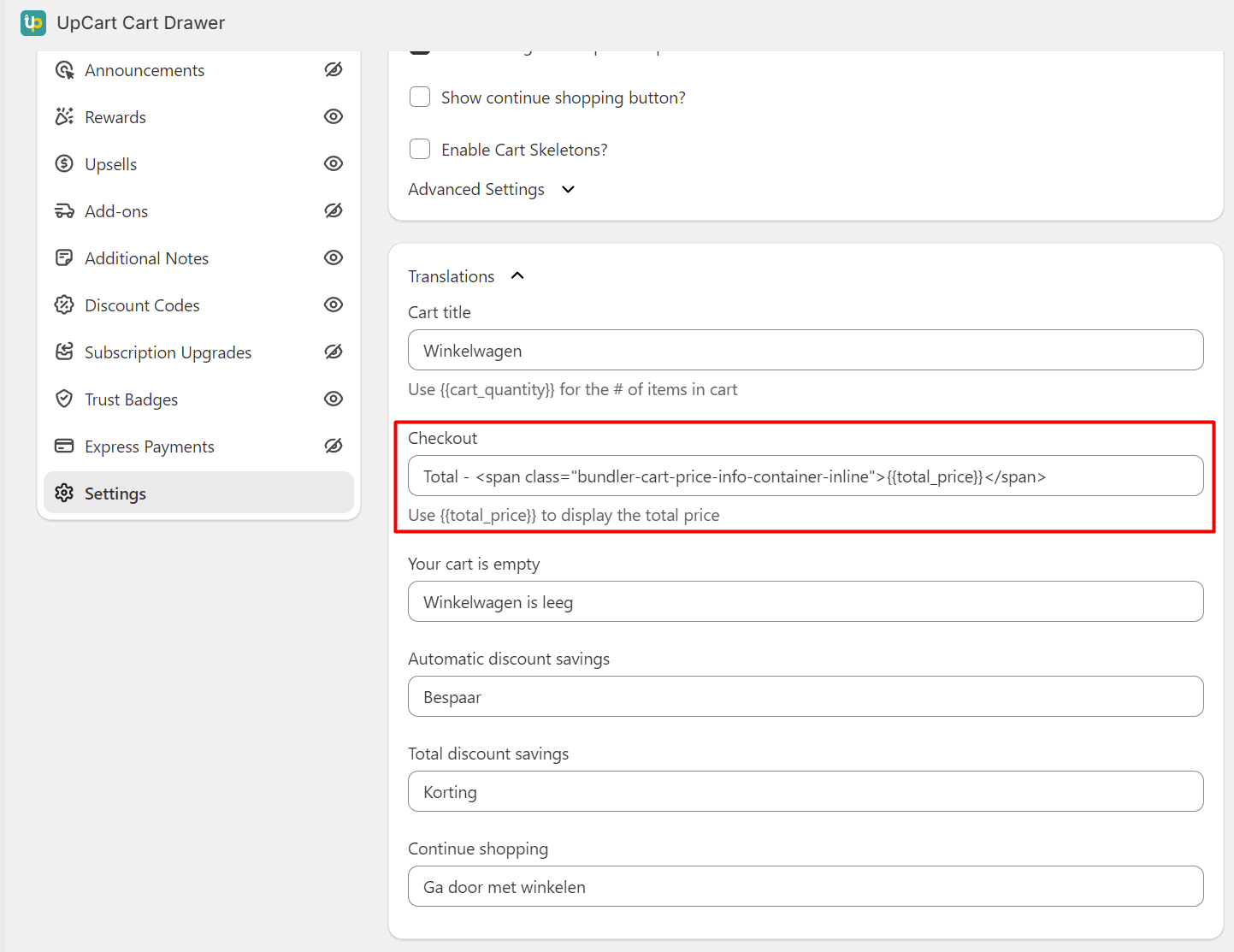
To display the discounted price in the button in the UpCart's cart drawer, simply go into Shopify admin > UpCart app > Cart Editor > Settings and adjust the translation for the “Checkout” text (see screenshot).
In there, set a text like “Total \{{total\_price}}\"
The value in the \ element will be replaced with the total cart value, reduced for the bundle discounts.
No questions were found for this search term.