

When creating a bundle in Bundler, you might see the following message: Bundle Size Exceeds Limit
“Your bundle reached a limit. To proceed and save your bundle, please reduce the amount of products within the bundle to meet the size requirements OR create a legacy bundle.”
This message means that the bundle you are creating has reached the maximum size allowed for that specific bundle type.
Why does this happen?
This limit can appear when creating one of the newer bundle types in the app.
These newer bundle types work closely with Shopify’s bundle functionality, which means they also need to follow Shopify’s technical size requirements. This helps keep the bundle compatible with Shopify’s checkout and product structure.
How can I fix this?
There are two ways to resolve this:
- Reduce the number of products in the bundle: You can remove some products from the bundle until it meets the size requirements.
- Create a legacy bundle instead: This is usually the easiest option if you want to create a larger bundle with many products.
Why create a legacy bundle?
Legacy bundles work a bit differently from the newer bundle types, which gives them more flexibility.
The main benefit is that legacy bundles are not constrained by the same Shopify bundle size limits. This makes them a great option when you want to create larger bundles or include more products than the newer bundle type allows.
How to create a legacy bundle
- Open the Bundler app in your Shopify admin.
- Start creating a new bundle.
- When choosing the bundle type, select Legacy bundle.
- Add the products you want to include in the bundle.
- Set up your discount and bundle settings.
- Save the bundle.
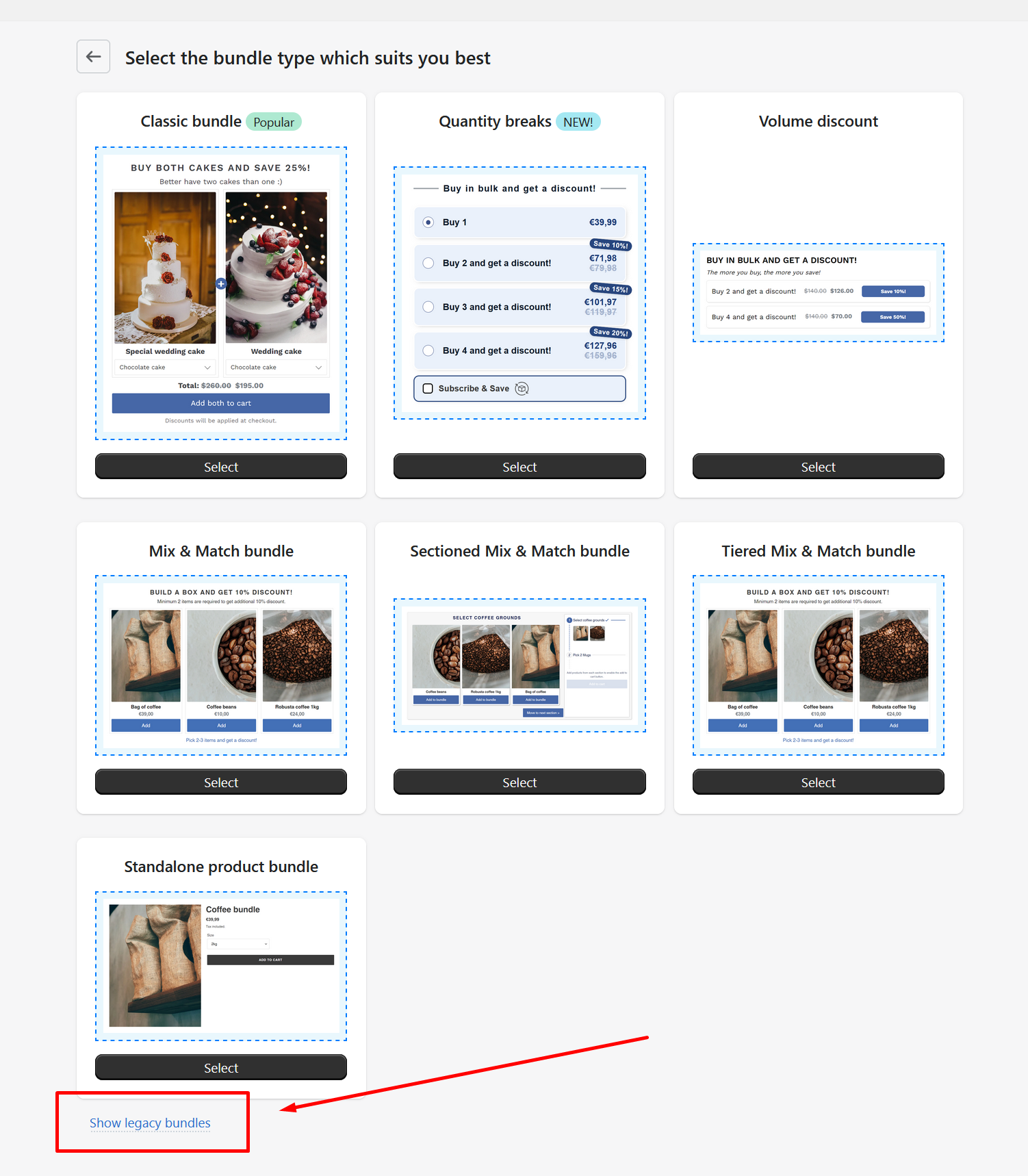
After saving it, the legacy bundle will be active based on the settings you selected.
When should I use a legacy bundle?
We recommend creating a legacy bundle if:
- You see the “Bundle Size Exceeds Limit” message.
- You want to include a larger number of products in one bundle.
- Reducing the number of products is not suitable for your bundle setup.
- You need a more flexible bundle option.
Are legacy bundles limited by Shopify’s bundle size requirements?
No. Legacy bundles are not affected by the same Shopify bundle size requirements because they work differently from the newer bundle types.
This makes them especially useful for larger bundle setups.
Need help?
If you are not sure which bundle type to use, or if you need help creating a legacy bundle, please contact our support team. We will be happy to help you set it up.